

Getting your label artwork file requirements right – a vector file, Pantone colour references and 1:1 sizing in millimetres – is the quickest route to an accurate proof and sample without endless back-and-forth. Plenty of brands lose days, sometimes weeks, because they send a logo as a phone photo, an Instagram screenshot or a JPG on a white background. This guide explains what the file needs to contain, why manufacturers ask for it that way, and what happens if you send something else. There's a checklist at the end you can copy straight into your brief.
Raster vs vector: why it matters
A raster image (JPG, PNG, HEIC, a photo) is made of pixels. Scale it up and the edges turn jagged; scale it down and fine details merge. A vector file describes shapes mathematically, as lines and curves, so it can be resized to anything without losing sharpness.
For a woven label, the design is converted into a weaving pattern where every point is an intersection of threads. The person preparing that pattern needs to know exactly where every outline runs. Hand them a blurry PNG and they first have to redraw the logo – which takes time and may not match your original. Printed labels (satin, canvas) work the same way: the printing plate or digital print needs clean outlines.
 Metal tags E-2299 Nickel 2 x 0.5 cm – Delicate design for laser branding
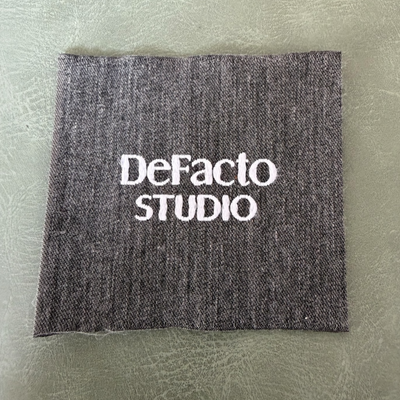
 Printed canvas label LBL 0072 6.5 x 5 cm – with white print, soft premium design, with logo
 Metal tags E-2298 Gun Metal 2 x 0.4 cm – With sharp edges, for laser branding
Which formats to send
| Format | Suitable? | Note |
|---|---|---|
| AI (Adobe Illustrator) | Excellent | Save in a backwards-compatible version or include a PDF too |
| PDF (vector) | Excellent | Only if exported from vector software, not a photo dropped into a PDF |
| EPS | Very good | Old but universal |
| SVG | Very good | Handy for designers working in Figma or Inkscape |
| CDR (CorelDRAW) | Good | Send a PDF as well, just in case |
| High-resolution PNG | Reference only | Will need vectorising, differences are possible |
| JPG, photo, screenshot | No | Only useful to explain the idea |
A common trap: opening a JPG in Illustrator and saving it as .ai does not make it vector – the same pixel image is still inside. Check in outline mode (View → Outline): with a true vector you'll see the shape paths, not a single rectangle.
Fonts: convert them to outlines
If the file contains live text and the manufacturer doesn't have your font installed, the software will substitute another one. So all text should be converted to outlines (Create Outlines in Illustrator, Convert to Curves in CorelDRAW). If you expect text edits – different sizes on size labels, for instance – also send a separate file with editable text and the font name.
Colour: Pantone, not "navy"
"Navy" on screen looks different on every monitor. That's why colour should be specified using a system with a physical reference:
- Pantone TPX/TCX – Pantone's textile guides, the closest match to how thread and fabric actually look.
- Pantone C/U – for print on paper; fine as a guide, but thread never matches ink 100%.
- A physical sample – a swatch of fabric or an old label to match against.
Woven labels get their colours from pre-dyed yarns. The manufacturer picks the closest yarn on its shade card; an exact match to a specific Pantone sometimes means custom dyeing and an extra charge. If a colour is critical to your brand, say so in your first enquiry.
Tip: CMYK and RGB values aren't enough for a woven label. Give a Pantone reference or send a physical sample.
1:1 sizing in millimetres
Set the artboard to the exact size of the finished label, say 50 × 20 mm, and place the design at 1:1 scale. Mark separately:
- the visible area – what will show once the label is sewn on;
- the seam allowance – usually 3–5 mm on every side that is stitched or folded;
- the fold type – with centre or end folds, part of the area goes to the back;
- minimum text size – letters under roughly 2 mm cap height are hard to read when woven.
Once you see the logo at actual size on screen or printed at 100%, you'll know immediately whether the details will survive. If they won't, our separate guide on adapting a logo for a woven label walks through how to simplify it.
What happens if you send a phone JPG
- The designer redraws your logo by hand as a vector – extra time.
- Fine details get interpreted by eye and may drift from the original.
- Colours are estimated from the screen.
- You receive a proof that needs careful checking and often a round of corrections.
The result can still be good, but the risk of errors and delays is higher. If you don't have a vector, ask the designer who created the logo, or the print shop that made your business cards – someone almost always has the original.
Pre-send checklist
- File in AI, PDF, EPS or SVG, opened and checked in outline mode.
- All fonts converted to outlines.
- A Pantone reference (ideally TPX/TCX) for every colour, background included.
- Artboard at exact size, design at 1:1, dimensions stated in mm.
- Seam allowance and fold type specified.
- Label type: woven (taffeta, damask, satin), printed satin or canvas.
- Quantity per design.
- If there are variants (sizes S–XL), each on its own clearly named artboard.
Labels made to your design
In our catalogue you'll find examples of woven jacquard, satin and printed canvas labels produced to customers' designs. When the file is prepared properly, the proof is ready faster and with fewer questions. If you also need ribbons or other packaging trims, we can include them in the same enquiry. You'll find more advice in our labels blog, and you can send files and questions via our contact page.