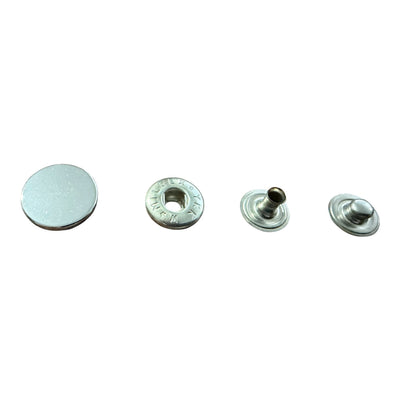


Logo design for metal buttons follows different rules from designing for a website or a business card. On a metal disc 15–20 mm across, every line becomes relief, every gap becomes a channel that metal has to fill or leave empty, and the finish can either sharpen the detail or swallow it. Here are twelve practical rules for preparing a logo that reads on the button, not just on screen. The numbers below are guidelines – the final limits always depend on the specific mould and metal and should be confirmed by the manufacturer.
Part 1: Size and proportion
1. Start from the real diameter
Before you draw anything, print a circle at actual size – 15, 18, 20 or 22 mm – and drop the logo into it. It is the quickest legibility test there is. Remember that 1 ligne = 0.635 mm, so a 32L button is about 20 mm.
2. Leave room for the rim
The rim usually takes 1–2 mm. The usable logo area is roughly 60–75% of the diameter – on a 20 mm button, a circle of about 12–15 mm.
3. Simplify for small sizes
If a brand uses 22 mm buttons on the front and 12 mm on the cuffs, prepare two versions: full and simplified. Below 15 mm, usually only the symbol or initials survive – taglines and long names go.
 Metal buttons with logo 0076 Col 101926 – 18 mm with matte grey finish
 Metal coat of arms buttons 6-Z538 Col 292 – Gun Metal 22 mm with shank
 Gold metal buttons with black enamel 34027 Col 0220 – 22 mm designer model
Part 2: Lines, gaps and text
| Technique | Min. line width | Min. gap between elements | Min. letter height |
|---|---|---|---|
| Die casting (zinc alloy), raised | about 0.3 mm | about 0.3–0.4 mm | about 1.2–1.5 mm |
| Stamping (brass), raised or debossed | about 0.4–0.5 mm | about 0.5 mm | about 1.5–2 mm |
| Laser engraving | about 0.1–0.15 mm | about 0.15 mm | about 0.8–1 mm |
| Enamel in cells | metal wall about 0.3 mm | enamel cell at least 0.5–0.8 mm | enamel text not advised below 2 mm |
4. Thicken thin lines
A hairline typeface or delicate hatching that looks elegant on paper disappears in casting and polishing. If a line is below the minimum for the technique, thicken it or drop it.
5. Open up tight counters
Letters like "e", "a", "8" and dense monograms have tiny enclosed spaces. During stamping the metal flows and fills them. Open them to at least the minimum gap, or choose a typeface with more open forms.
6. Avoid gradients and shadows
Metal has no halftones. Any gradient has to become levels of relief – usually two, at most three heights. Drop shadows and transparencies vanish completely.
Part 3: Raised, recessed and the finish
7. Decide what stands up
Raised relief puts the logo above the background. It catches the light and reads well on shiny finishes. Recessed (debossed) cuts the logo into the surface. It looks discreet and premium, especially on matt finishes, but fine lines are lost more easily.
8. Think about antique finishes
Antique brass, antique silver and antique copper are made by darkening the button and then brushing back the high points. The recesses stay dark and the relief stays bright – the most legible option for detailed crests. On polished gold or nickel the whole surface reflects evenly and the logo relies only on the shadow cast by the relief, so it needs to be simpler and deeper.
9. Matt versus shiny
A matt button with a polished logo (or the reverse) creates contrast without a second colour. It suits minimalist brands well but adds a finishing step – raise it when you ask for a quote.
Part 4: Beyond the face
10. The rim
A brand name can run around the rim or on a raised border around the face. Text there must be even bolder and simpler, because the surface is narrow and curved.
11. The back
The back of the button – and the tack on jeans buttons – is a great spot for secondary branding: a small logo, name or style number. The customer sees it every time they fasten up, and it keeps the front design clean.
12. Hand over the right file
- vector artwork (AI, EPS, PDF or SVG) with text converted to outlines;
- separate layers for each relief level or each enamel colour;
- button size and logo position in mm;
- a colour reference for enamel (Pantone);
- a sketch of the rim and back if you want branding there too.
Example: adapting one logo
Imagine a brand whose logo is a round seal: an initial in the centre, the name and founding year around it in a thin typeface, and a double outline on the outside. For a 22 mm button, the double line becomes a single 0.5 mm line that doubles as the rim; the name stays but in a heavier weight at about 1.8 mm tall; the year goes. On the 15 mm cuff button only the initial remains, enlarged to around 70% of the face. Both buttons read as one family, and each is legible at its own size.
Common mistakes
- Lifting the logo straight from the website – far too much detail for 18 mm.
- Lettering around the rim less than 1 mm tall.
- The same file for a 25 mm and a 10 mm button.
- Choosing a polished finish for a very fine recessed crest.
- Skipping sample approval before the production run.
Quick test: print the logo at actual size, hold the sheet at arm's length and squint. Whatever disappears will disappear on the button too.
How we work with your logo
Bul-tex manufactures and supplies garment trims and takes orders for logo metal buttons, snap fasteners and eyelets. Before any mould is made, our team reviews the file and suggests adjustments if any detail is below the limit for the technique. See ready-made crest and enamel designs in our buttons collection, and for branded closures on jackets and denim, our snap fasteners and jeans buttons. Read more about branding techniques in our manufacturing articles, and send your logo via the contact page.