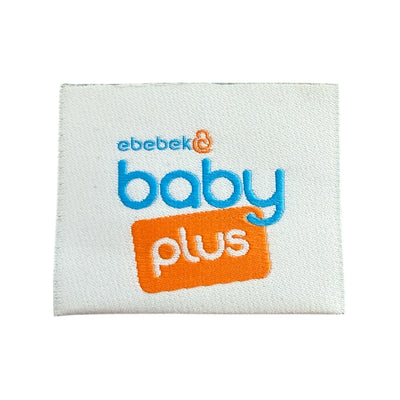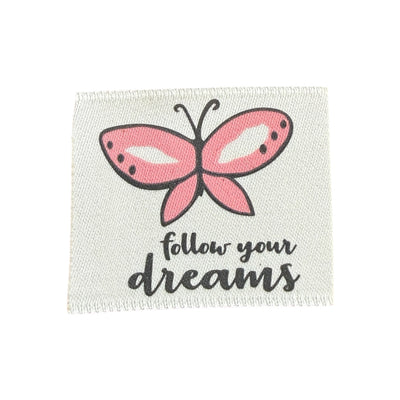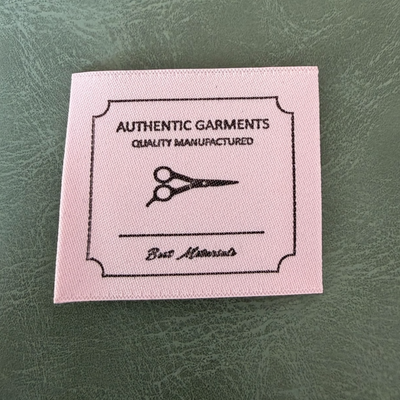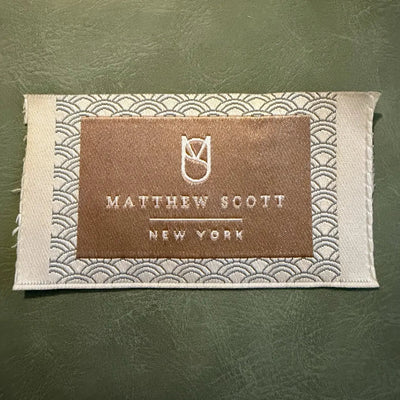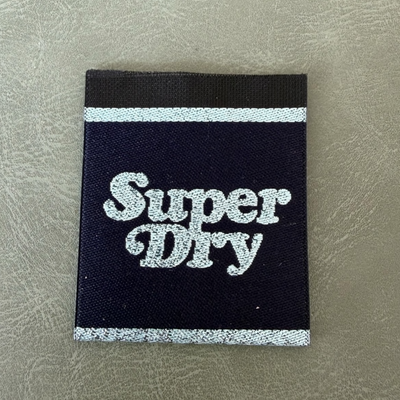


Your logo for a woven label will almost never work exactly as it appears on your website or Instagram. A screen shows millions of pixels, while a woven label "draws" with threads, each with a fixed thickness. Hairlines, gradients, drop shadows and tiny taglines that look great on a phone turn into a blurred patch on a 40 mm label. The good news: with a few targeted changes the logo stays recognisable and looks sharp when woven. This is a practical before-and-after guide, element by element.
How a woven label "sees" your logo
In jacquard weaving, the design is translated into a grid of intersections between the warp (lengthwise threads) and the weft (crosswise threads that carry the colour). The denser the weave, the finer the detail it can show: satin and high-definition damask are more precise than taffeta. But even the densest weave has a physical limit – a line can't be thinner than a few threads. Anything below that limit either disappears or gets thickened unpredictably.
 Jacquard woven label LBL 0029 10 x 9 cm – soft gold style, premium design, with logo
 Jacquard woven label LBL 0050 7 x 4 cm – green design with embossed letters, soft premium style, with logo
 Woven label 7.5 cm x 3.8 cm – clothing brand
Problem → what happens → fix
| Logo element | What happens when woven | How to adapt it |
|---|---|---|
| Very thin lines (under ~0.3–0.5 mm at actual size) | Break up or vanish | Thicken or remove them |
| Gradient or colour fade | Can't be woven smoothly – turns into bands | Replace with 1–2 solid colours |
| Shadow, 3D effect, highlight | Looks like a smudge | Remove; use a flat version |
| Tiny text, tagline under the logo | Illegible | Drop it or enlarge to at least ~2 mm cap height |
| Tight counters (the holes in a, e, o) | Fill in | Open them up or choose a more open typeface |
| Hairline serifs, script fonts with thin joins | Joins get lost | Thicken thin strokes, increase size |
| Photo or detailed illustration | Can't be woven realistically | Simplified silhouette or icon |
| Too many colours (6+) | Complex, costlier, loses contrast | Reduce to 2–4 colours plus background |
Step by step: building a label version of your logo
1. Start from the vector
Work only from the vector original (AI, PDF, EPS, SVG). If you don't have one, get it professionally vectorised first – every edit on a JPG just adds errors.
2. Place the logo at real size
Create an artboard the size of the label (say 50 × 20 mm) and drop the logo in at 1:1. Print it at 100%. If you struggle to see a detail on paper, it won't show on the label.
3. Pick the hero element
Many logos combine a symbol and a wordmark. On a small label it's often better to use just one – the name in a clear typeface, or just the monogram. Recognition comes from shape and proportion, not from every detail.
4. Thicken thin strokes
Use Offset Path or increase stroke weight evenly. Aim for minimum line widths of roughly 0.4–0.5 mm at actual size. Check the letters don't merge after thickening.
5. Flatten the effects
Remove gradients, shadows, transparencies and textures. If the fade is part of your identity, replace it with two distinct blocks of colour.
6. Open up the spacing
Increase tracking by 5–15% and widen the counters. Weaving slightly spreads shapes, and tight lettering runs together.
7. Cut the colour count
Choose 2–4 colours with strong contrast against the background. Dark on light, or light on dark, always reads better than two similar tones.
8. Test it reversed
Woven labels are often a dark ground with light lettering. Make sure the logo works inverted – some fine elements that show dark-on-white disappear light-on-dark.
Tip: save the label version as an official logo variant in your brand guidelines. You'll need it for embroidery, metal plates, engraved buttons and other small-scale applications too.
Example: from busy logo to clean label
Picture a kidswear brand logo: a handwritten name with thin flourishes, a small heart with a pink-to-orange gradient, and a tagline in tiny type underneath. The label is 45 × 25 mm, jacquard woven.
- The tagline goes – at this size the letters would be under 1.5 mm.
- The heart becomes solid, in a single shade halfway between the pink and orange.
- The script is thickened and the finest flourishes shortened.
- Colours are reduced to three: ground, name and heart.
The result is recognisable at a glance and looks professionally woven rather than crammed.
Also watch the balance between logo and margin. A good-looking woven label has at least 2–3 mm of clear space on every side, plus the seam allowance. A logo that fills the label edge to edge looks cluttered, and part of it ends up in the seam once sewn. A smaller logo with more breathing room nearly always looks more premium.
When a printed label beats a woven one
If the logo can't be simplified because the detail is essential to the brand – a fine illustration or photographic element, say – consider a printed satin or canvas label instead. Printing allows finer lines and more complex graphics. You'll find a comparison of label types in our labels articles.
FAQ
Will the manufacturer change my logo without asking?
It shouldn't. When preparing the weaving pattern the designer may suggest adjustments, but you approve them on the digital proof before production starts.
How small can text be on a woven label?
As a guide, capitals around 2 mm high and above read well; with high-density satin weaving you can go slightly smaller. Anything less is a gamble.
Can I have metallic or neon colours?
Yes – woven labels can use metallic (gold, silver) and bright fluorescent yarns. Our catalogue includes examples with a gold effect and neon designs.
Labels made to your design
Our catalogue has dozens of examples of woven jacquard labels with different logos – raised lettering, double-sided, with metallic threads. Send us your vector logo via the contact page and we'll tell you whether it needs adapting before we prepare the proof.